

Make your agents work together
Agents that work together.
Every coding agent you run gets a permanent seat on one canvas, and a face to go with it. Draw a line between two seats and those agents can mail each other, so you stop pasting between terminals.
Free and open source. No account.
















Seat
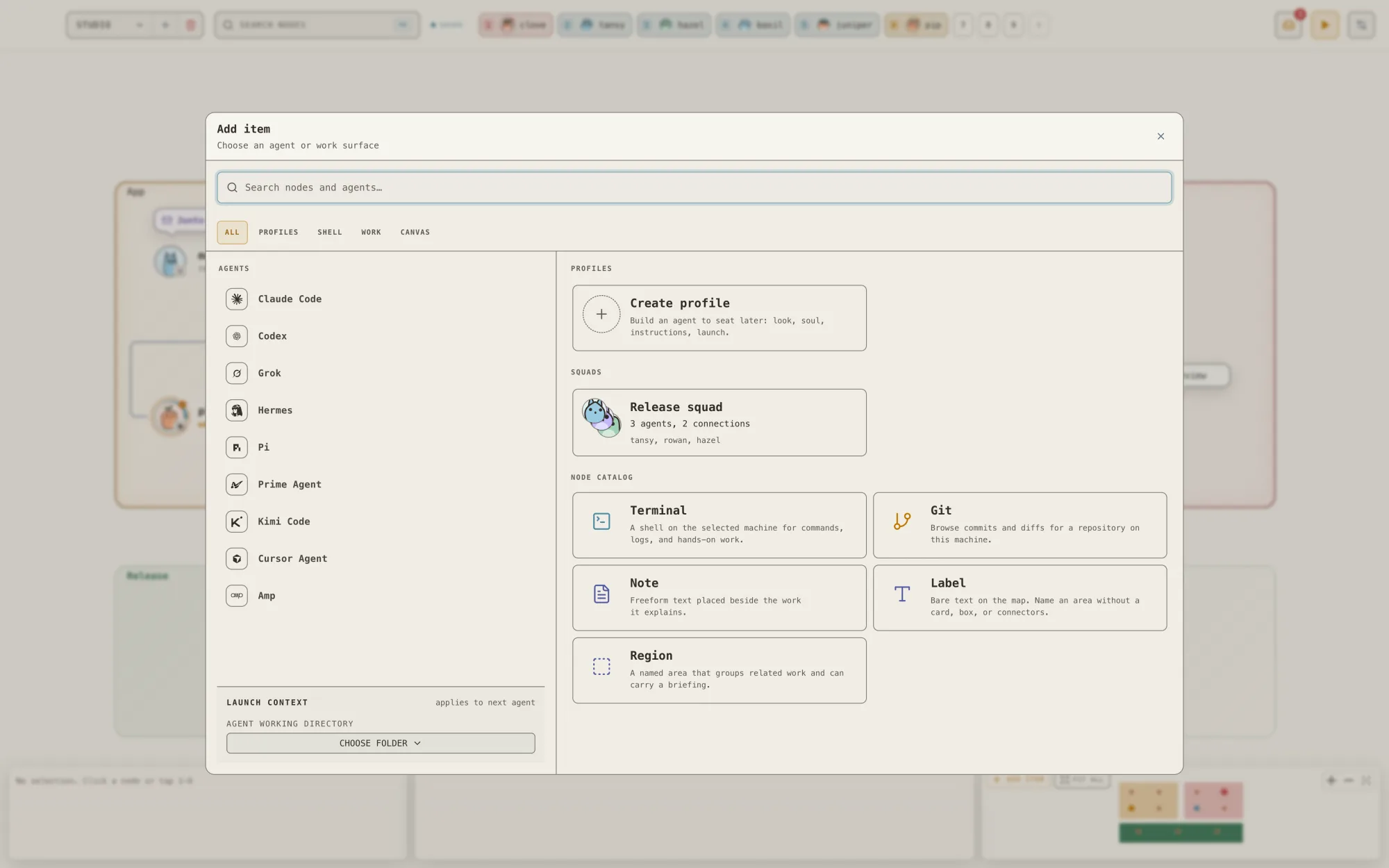
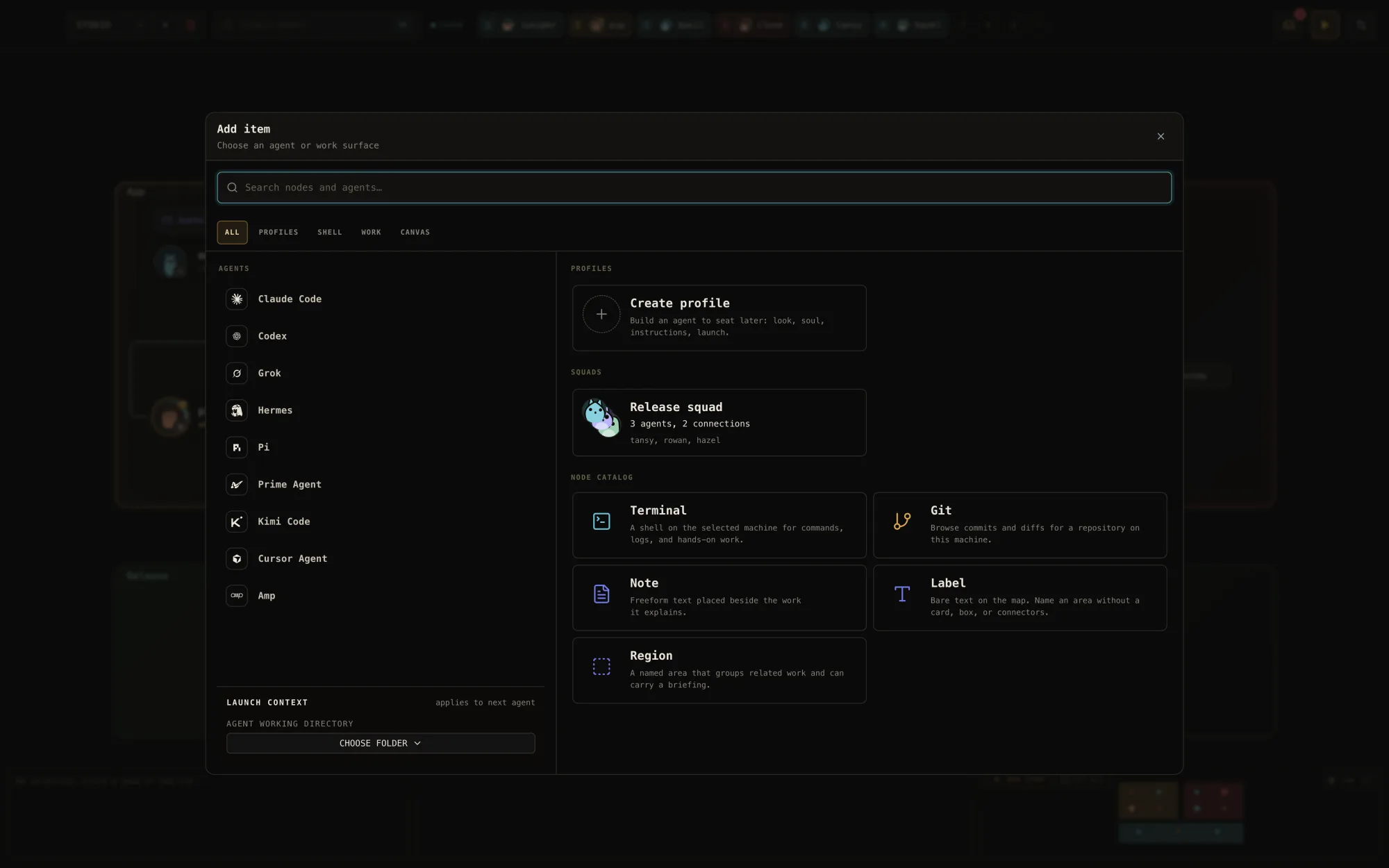
Add an agent, pick a harness you already have, pick a folder. That seat now has a name, a face, a live terminal, and a session that survives restarts.
Connect
Draw a line between seats. A messages line gives two agents a mailbox to each other. No line, no channel.
Watch
See every agent at once: working, done, waiting on you. Mail lands in the other agent's terminal while you look on.
The film
Meet the agents
in thirty seconds.
Meet the agents
Every seat
gets a face.
Each agent seat is drawn from its own seed, so the same seat keeps the same face through every restart. A board of twelve agents reads as twelve somebodies, not twelve tabs.
Want a different look? Restyle any seat in the character editor: body, ears, eyes, and a temperament from moody to cheerful. This is Pip, our mascot, with a few of the agents. Point at one.



 Pip
Pip































































































Read the room
Moods you can read
across the room.
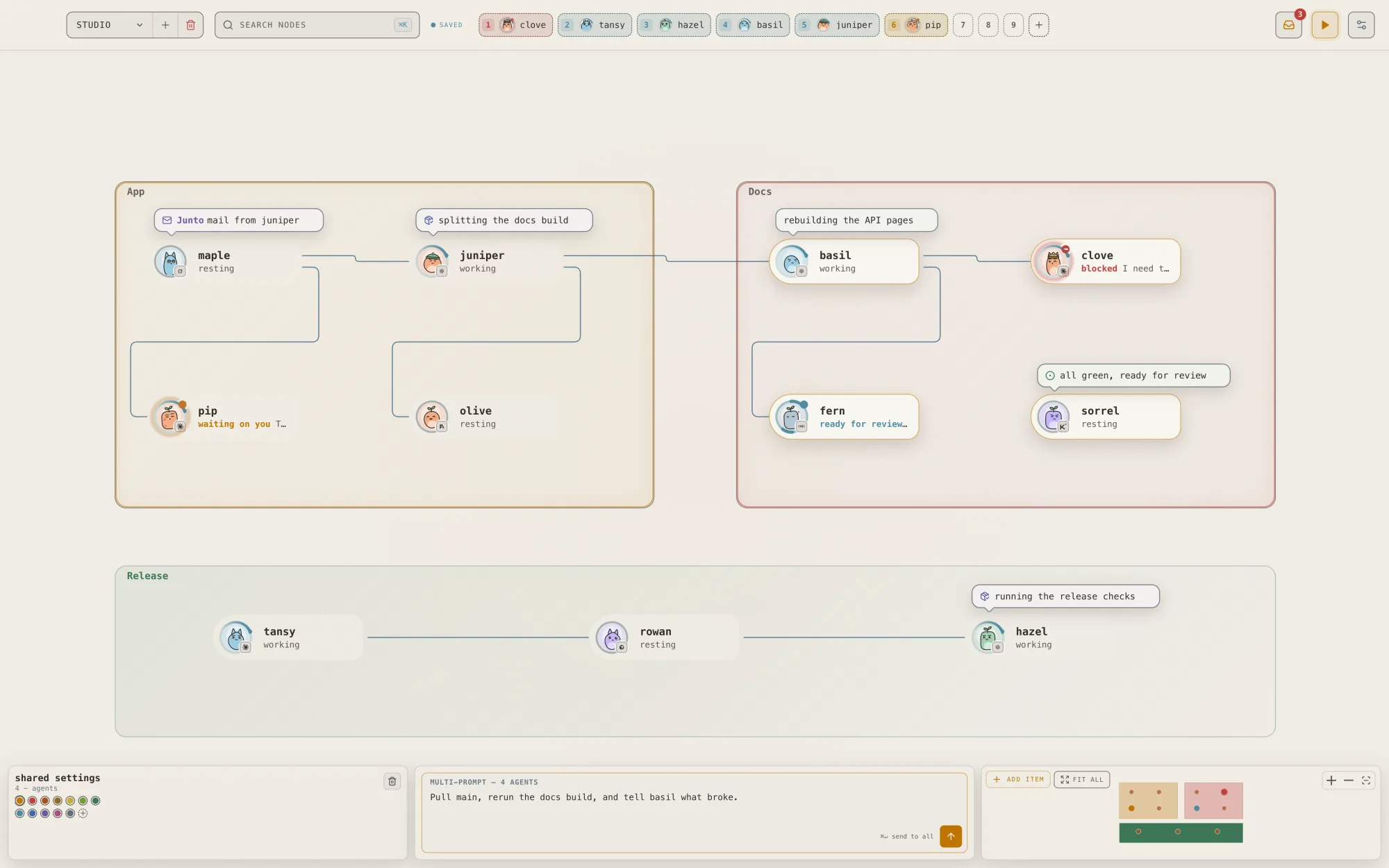
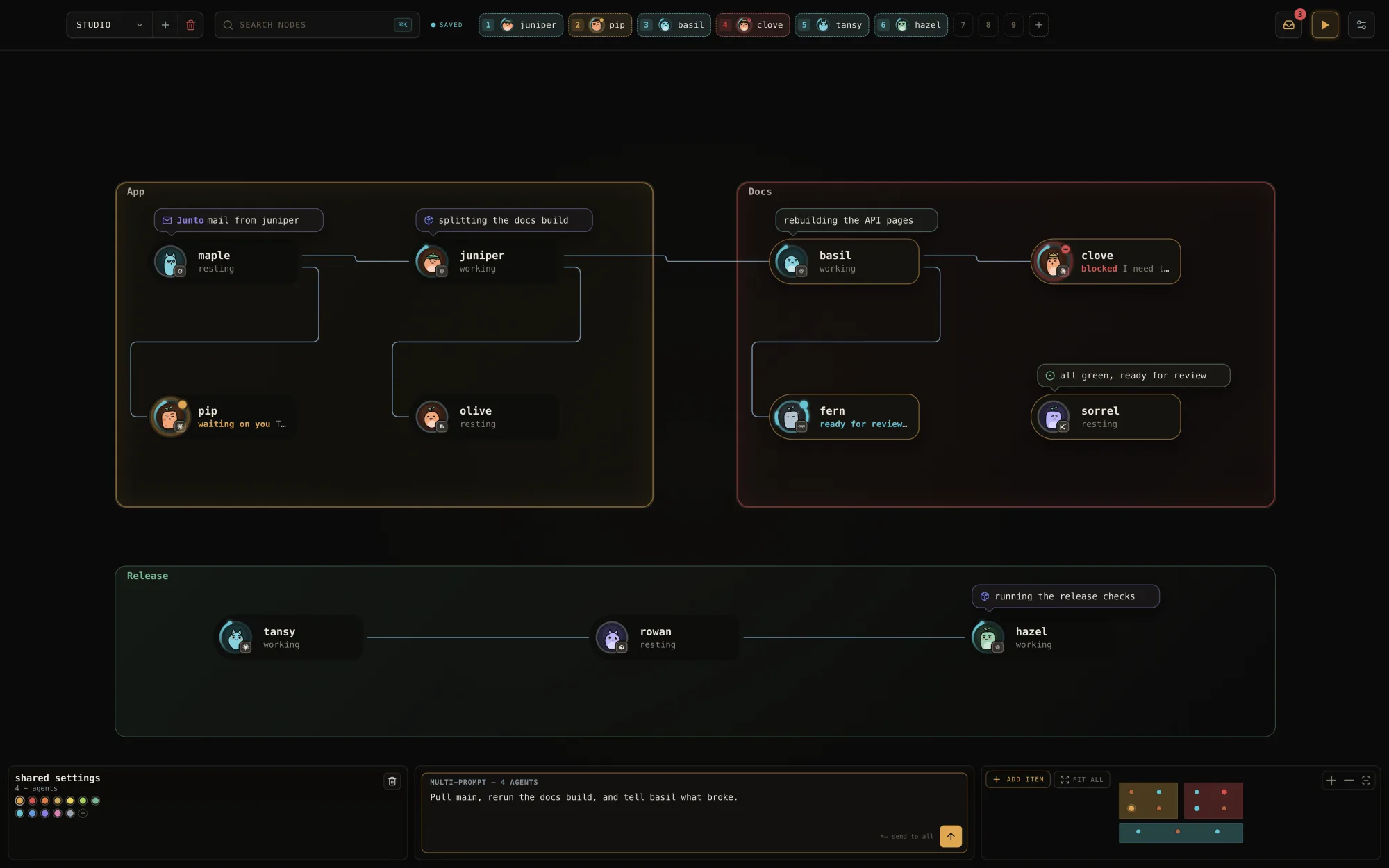
A ring around each portrait shows what that agent is doing, and the face follows the ring. Working, done, waiting on you, blocked, idle, offline: one glance across the canvas tells you who needs you.

 workingon a task
- donefinished

 wants youasked for you
 blockedan optimist, so determined
 idleat the prompt
 offlinenot running




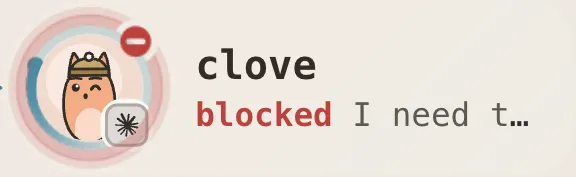
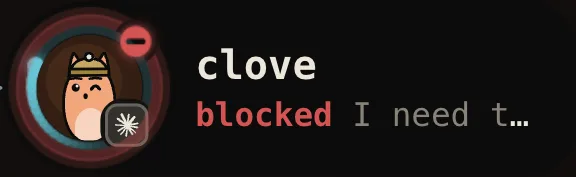
Real seats from the app. Each face depends on the seat: a cheerful one looks determined when blocked, a moody one frowns.
See it
Every agent,
at a glance.
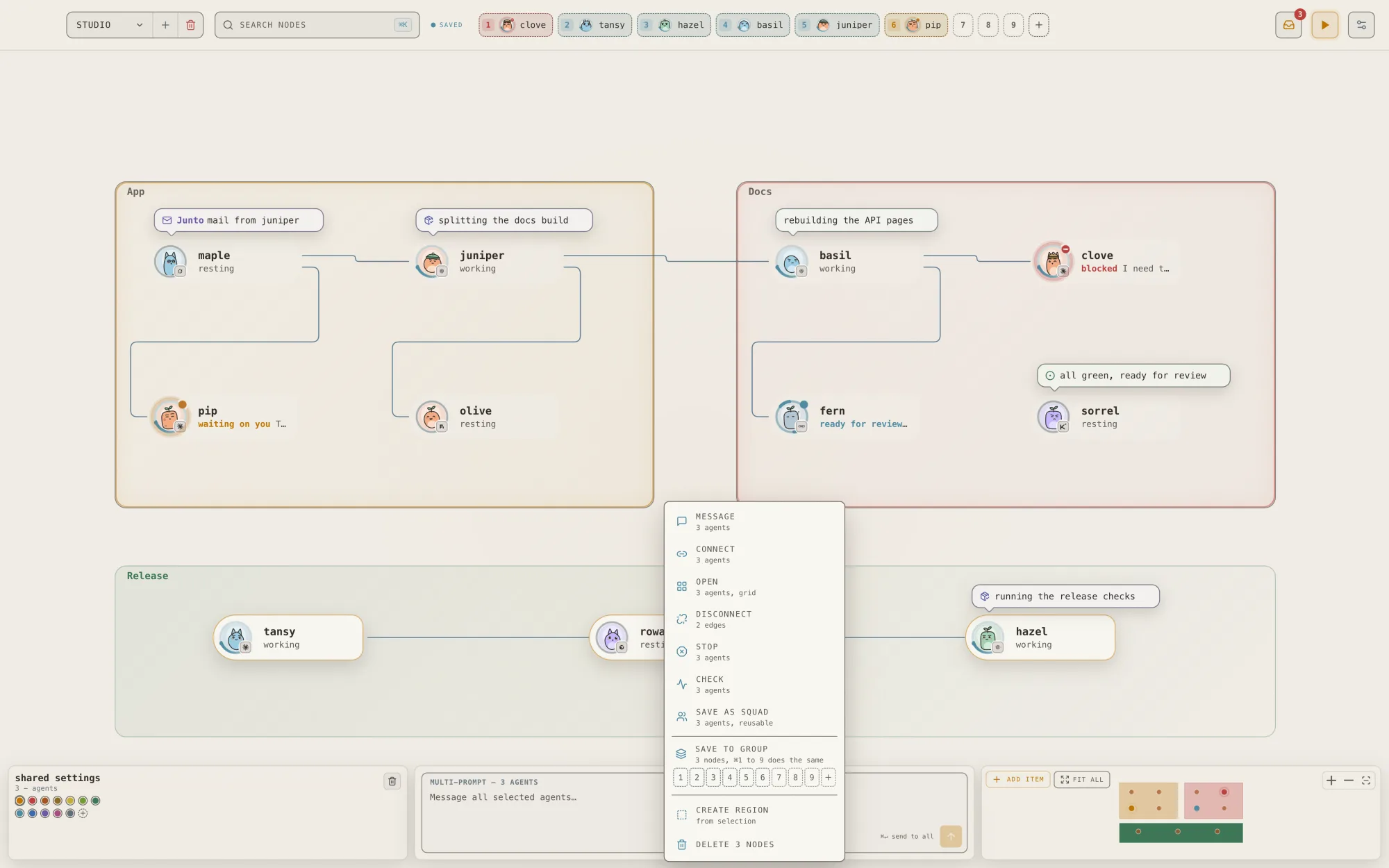
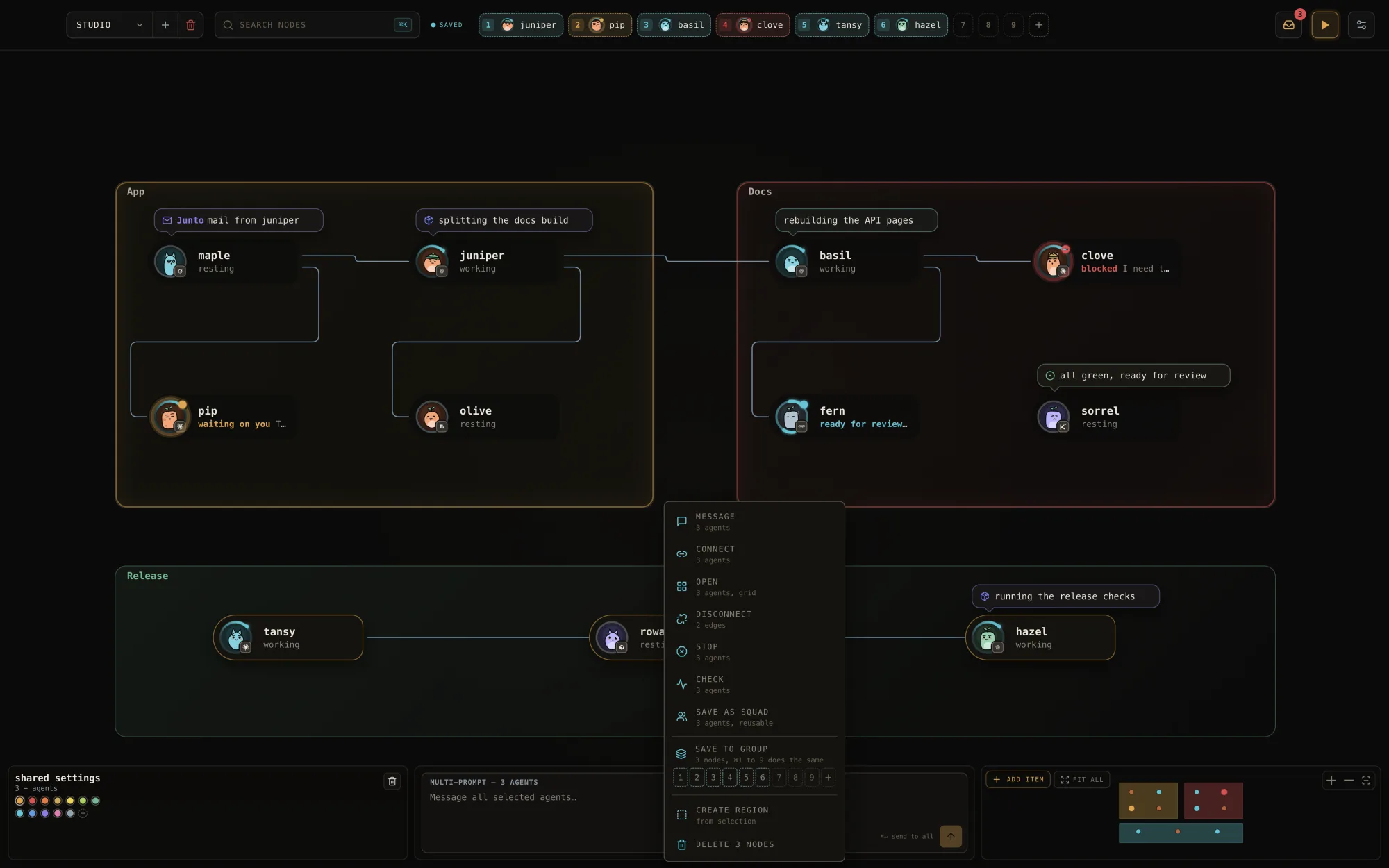
Seats sit where you put them, grouped into regions. A short line over each seat says what it is doing right now, coloured by where the news came from: the agent, the app, or you. When mail crosses a line, a pulse runs along it.

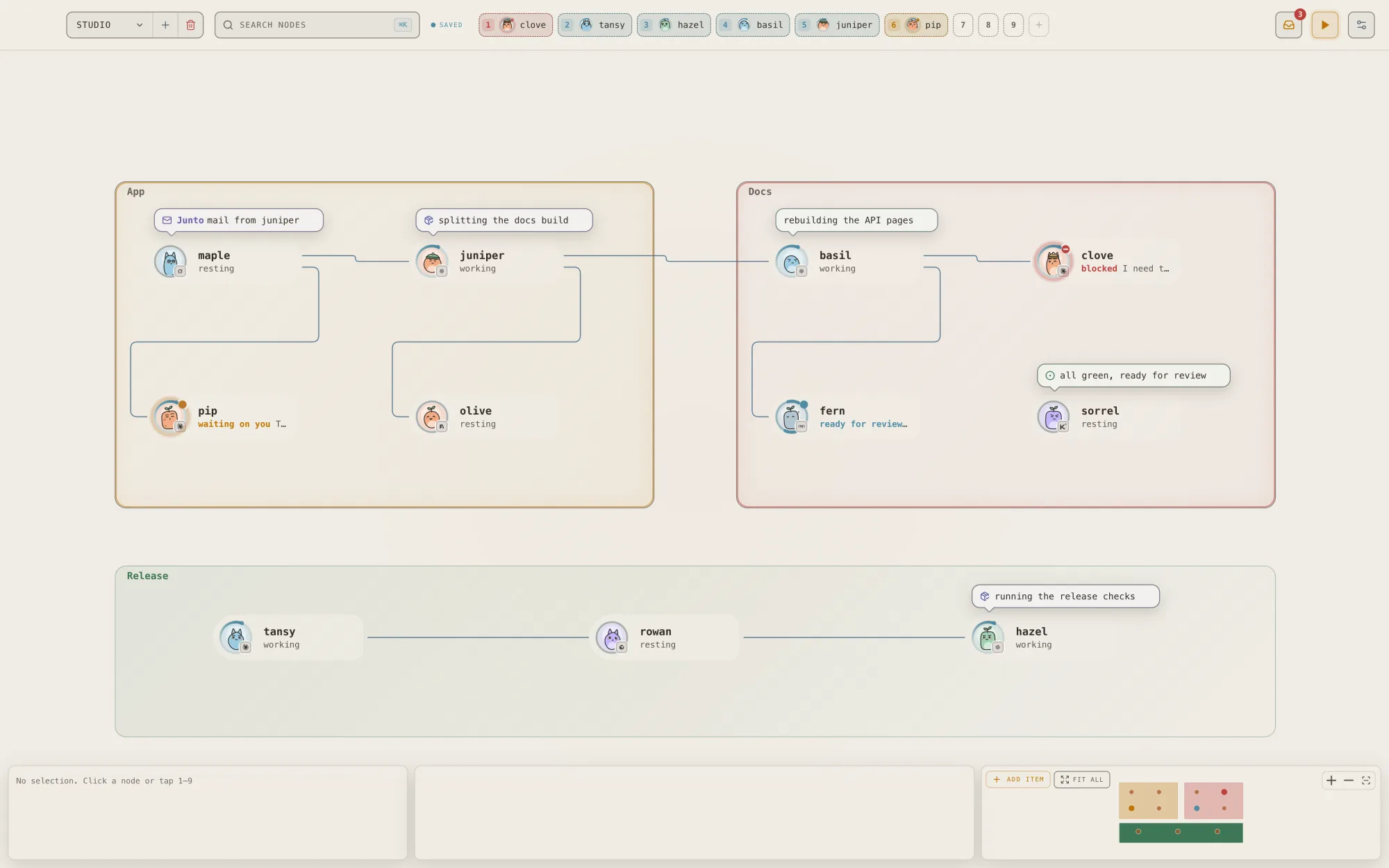
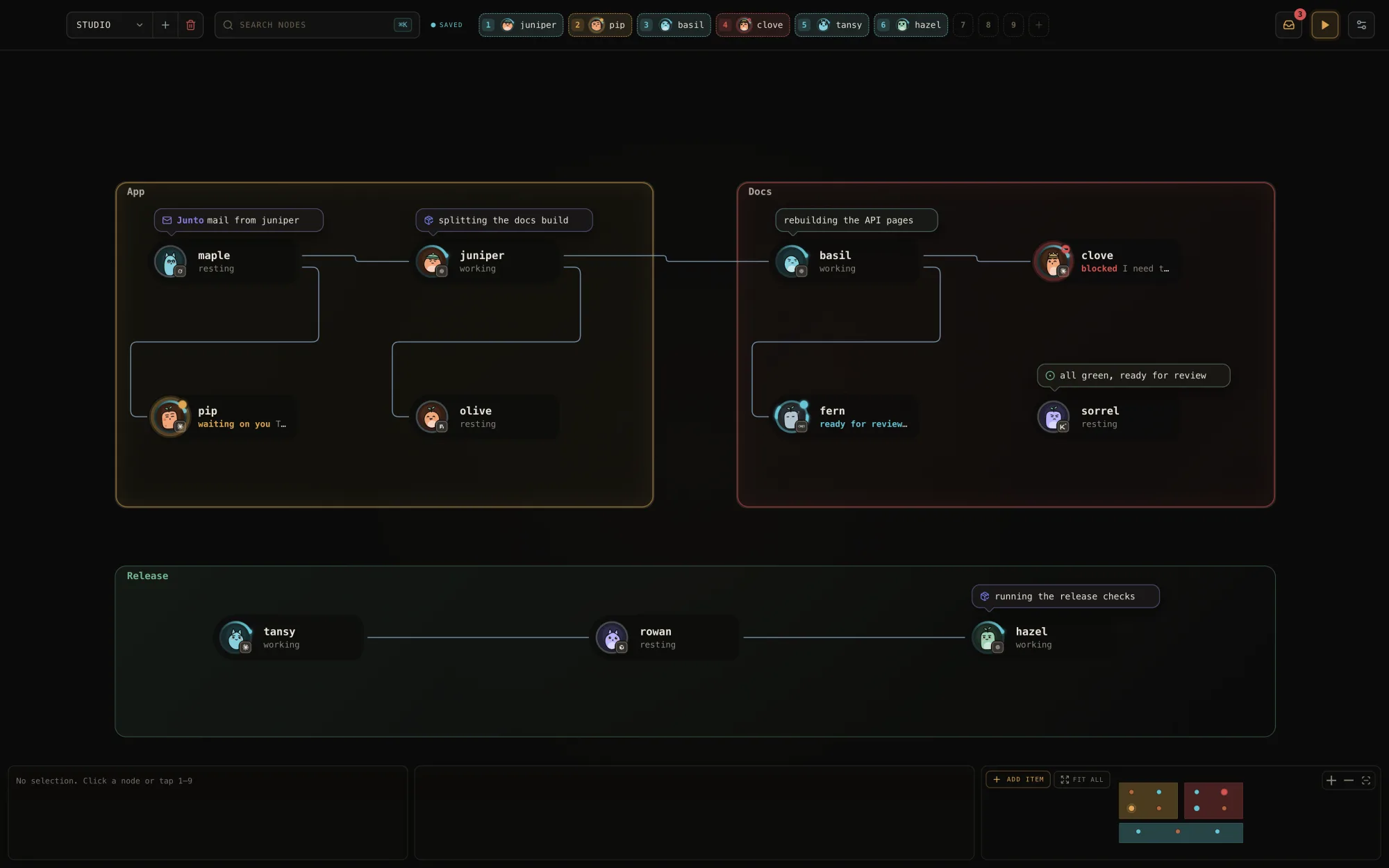
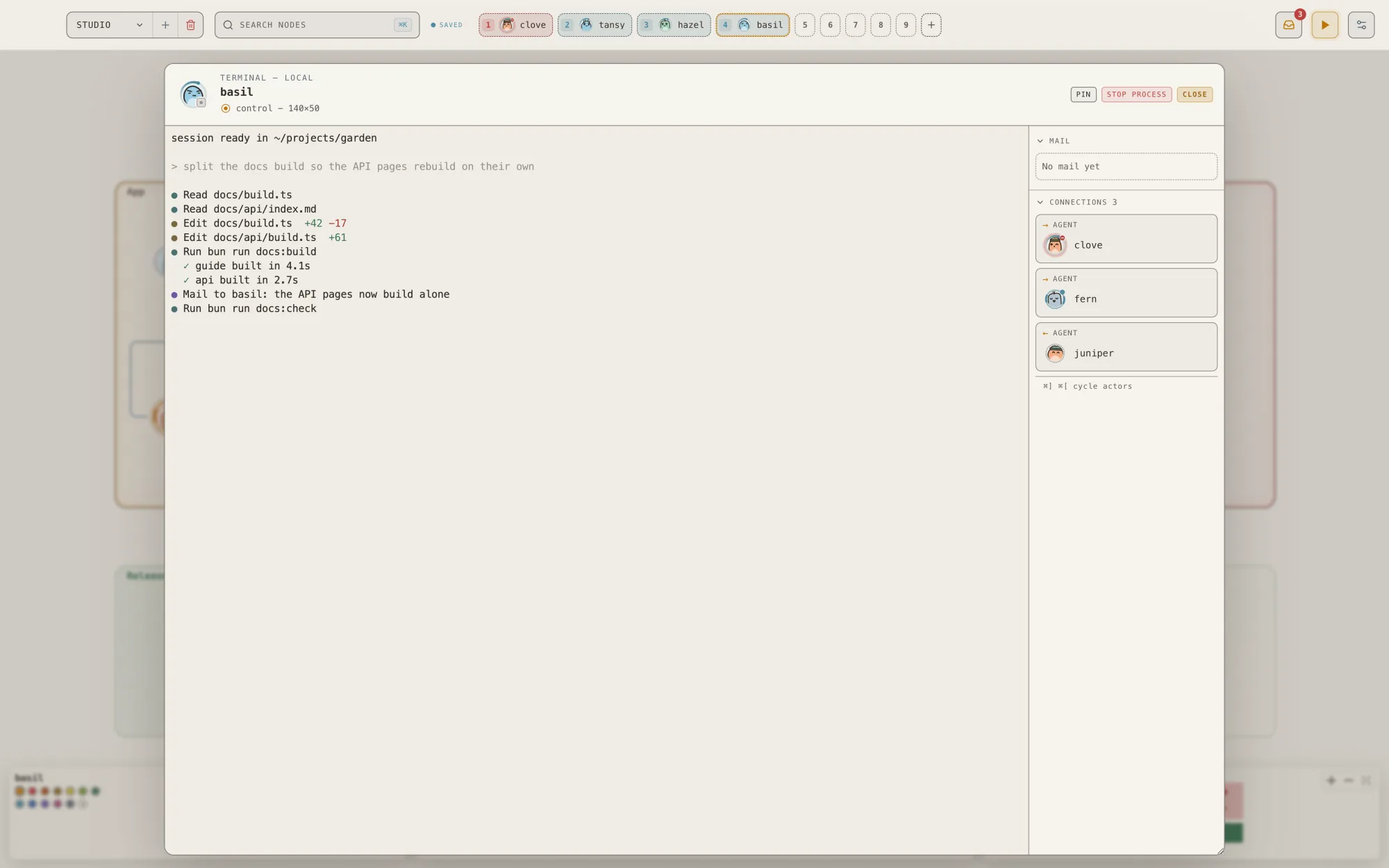
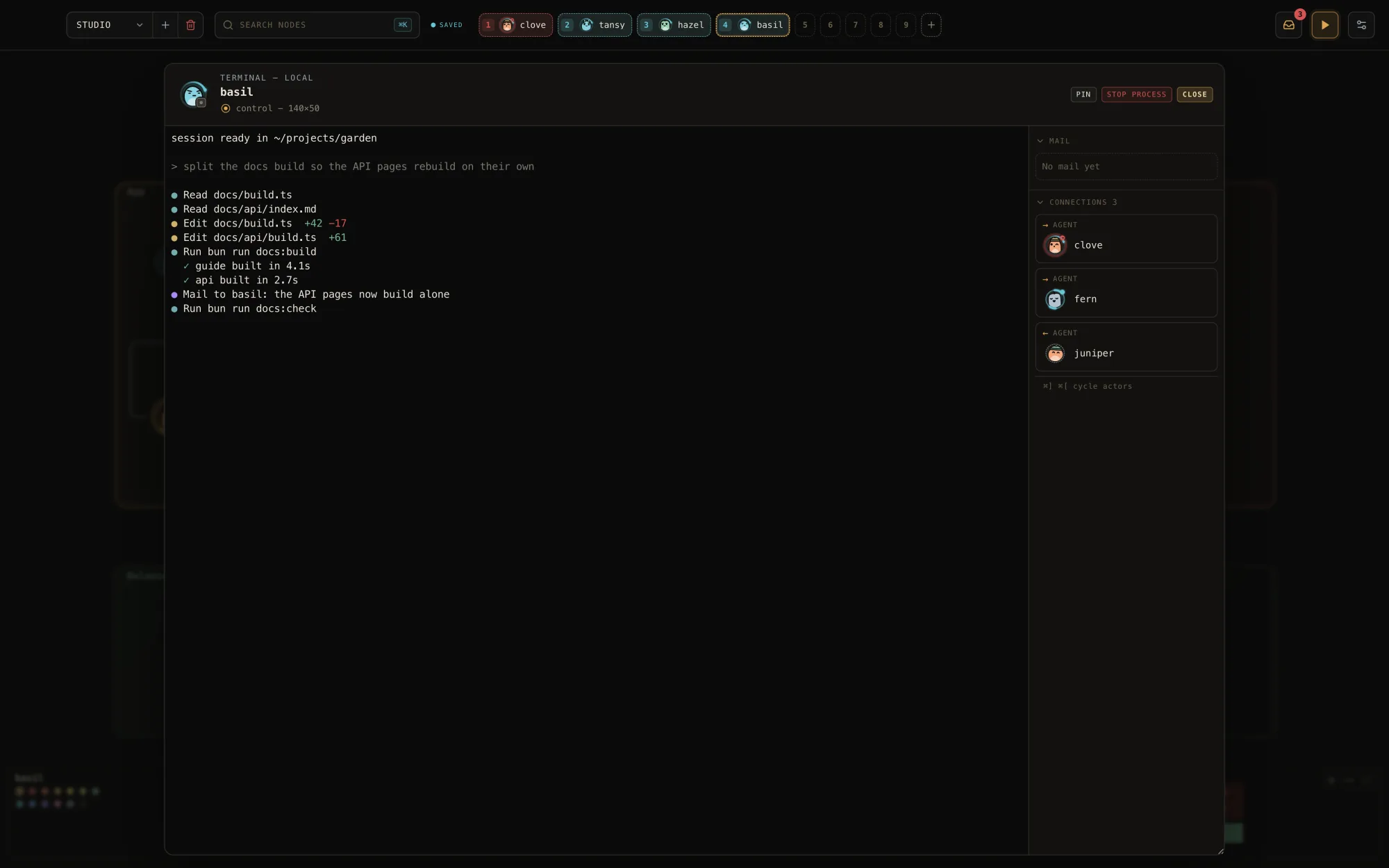
Focus on one.
Double-click a seat and its live terminal opens in a calm window, with the agent's face in the header and its connections to the side. Type straight into it.
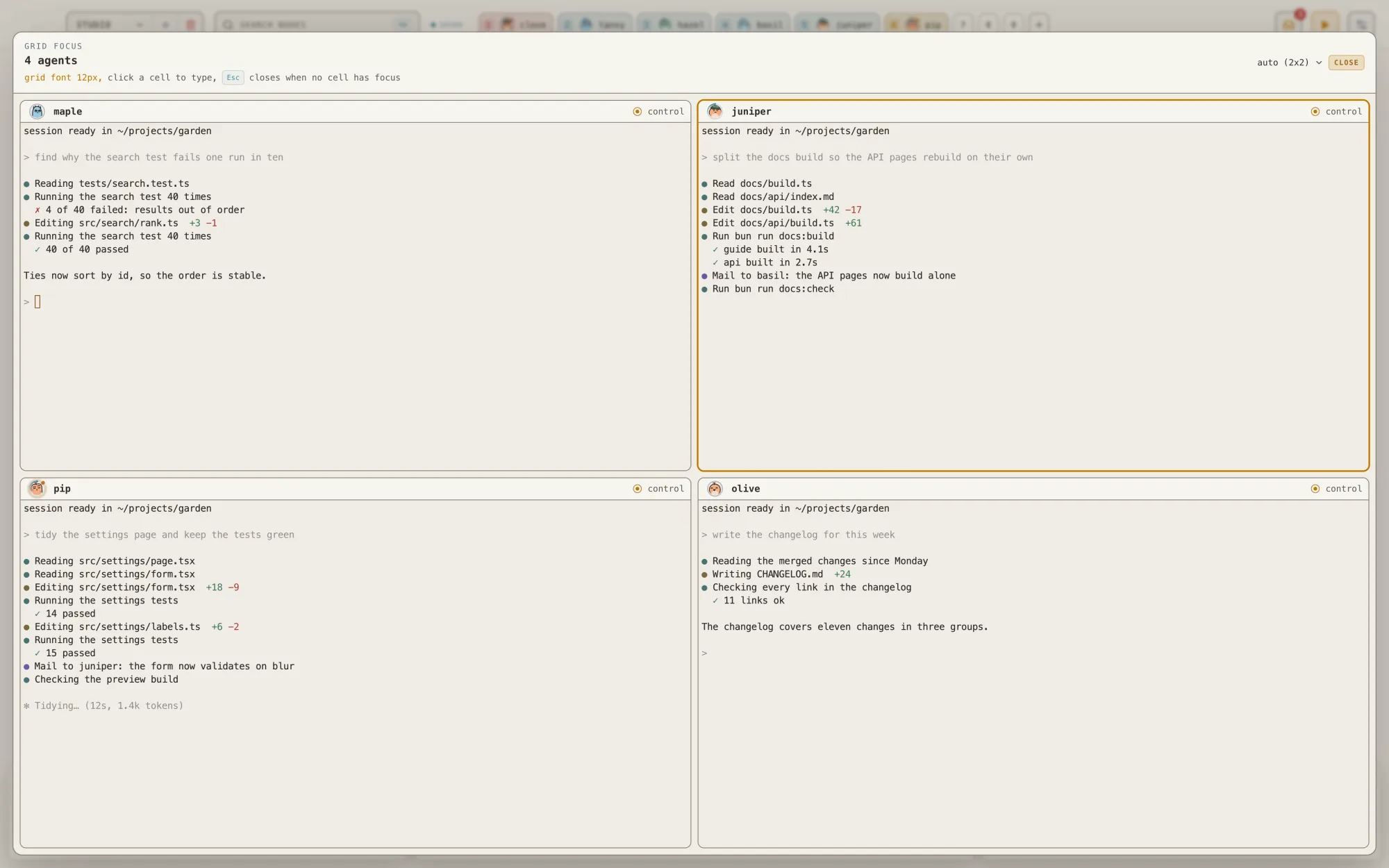
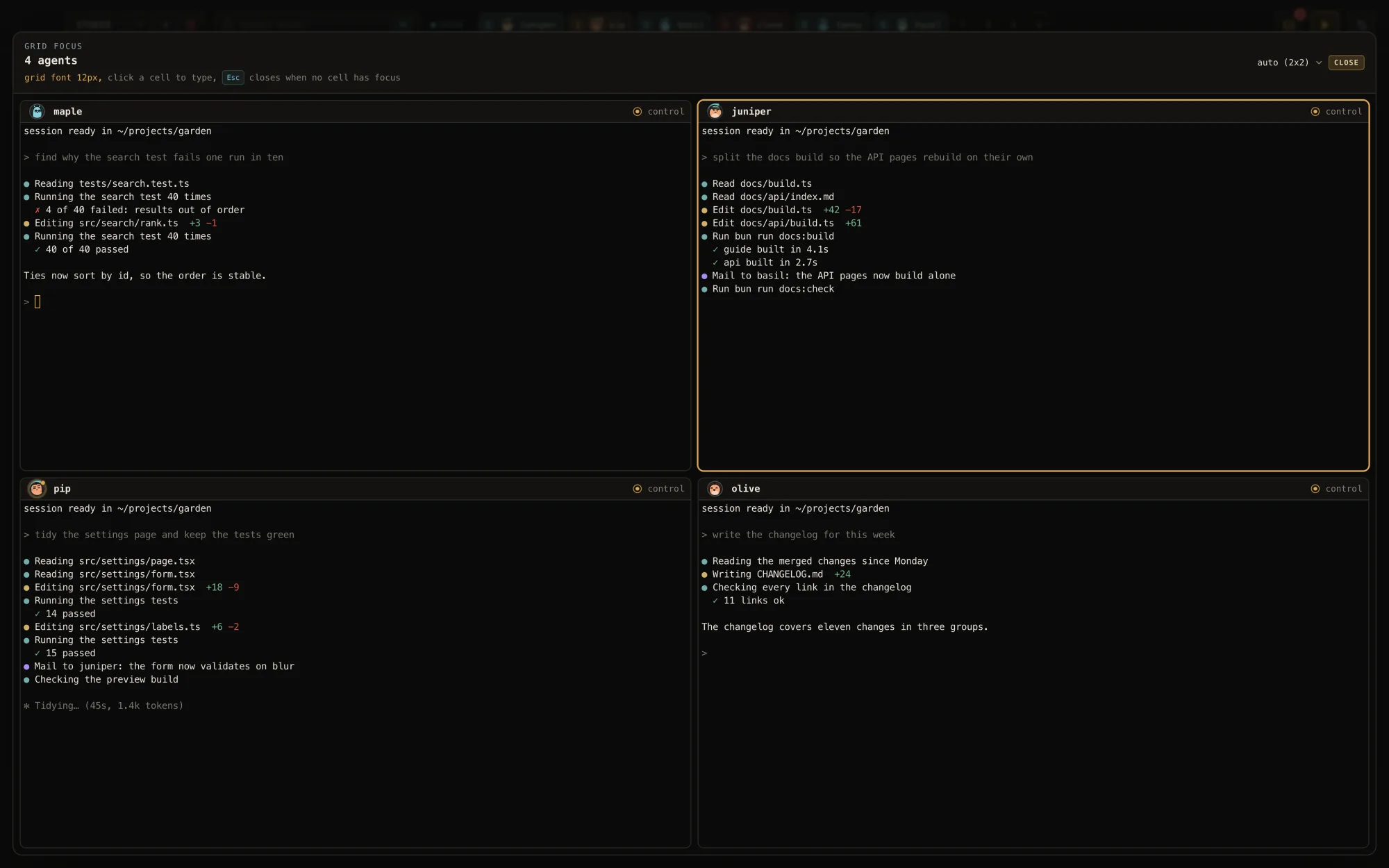
Or all of them.
Select a few seats and choose open: their live terminals share one grid. The grid picks a shape that fits everyone; click a cell to type there.
Needs you
Who needs you,
in one list.
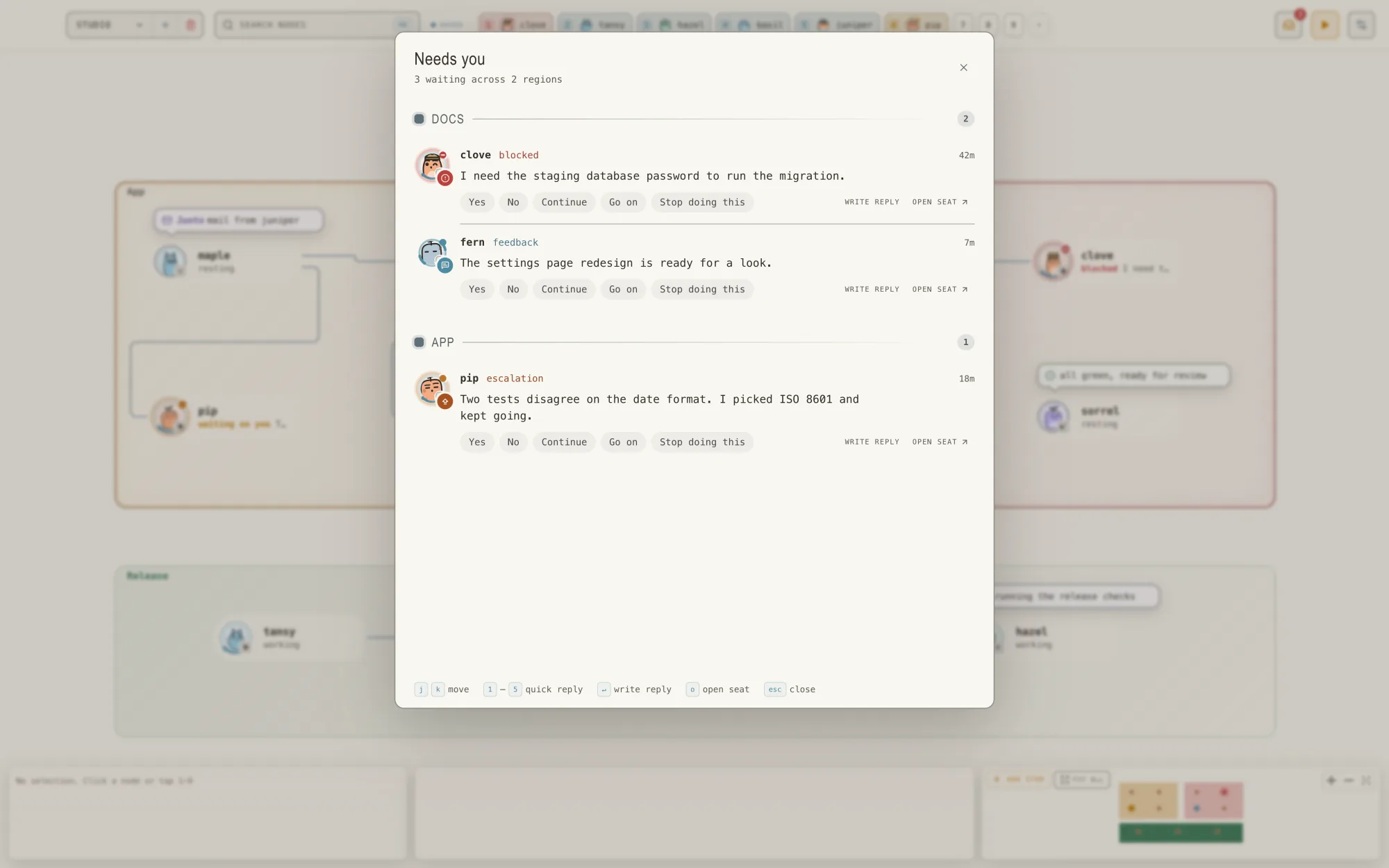
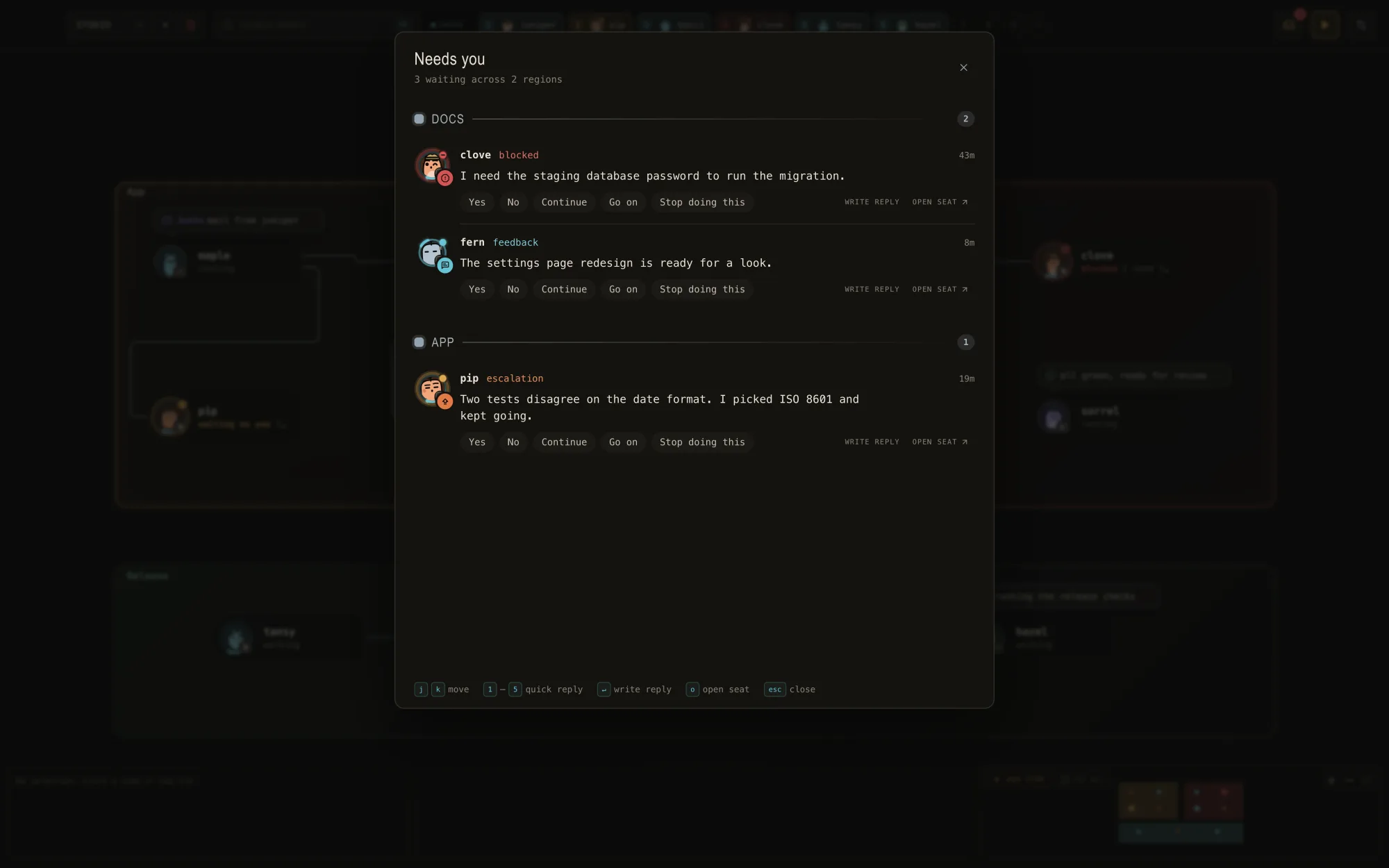
When an agent is blocked, wants a decision, or has something to show you, it lands in the needs-you feed. Press ⌘I: every waiting seat, grouped by region, the most urgent first. Answer right there. The top bar keeps the count.

Multi-prompt
Say it
once.
Shift-click a few seats and type one prompt. It goes to every selected agent, delivered at each seat or queued there until that agent is ready.
Squads
Found a squad that works?
Keep it.
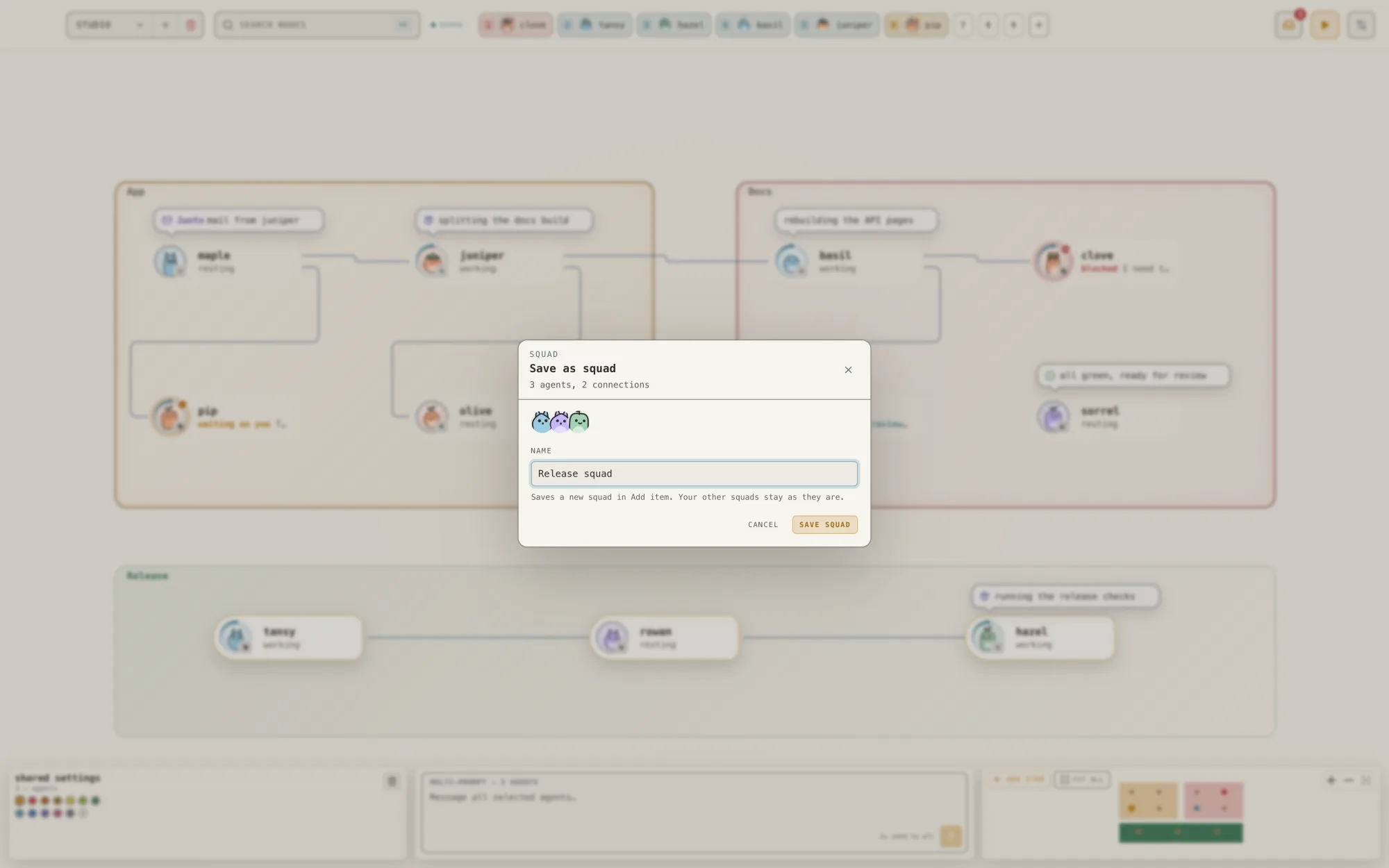
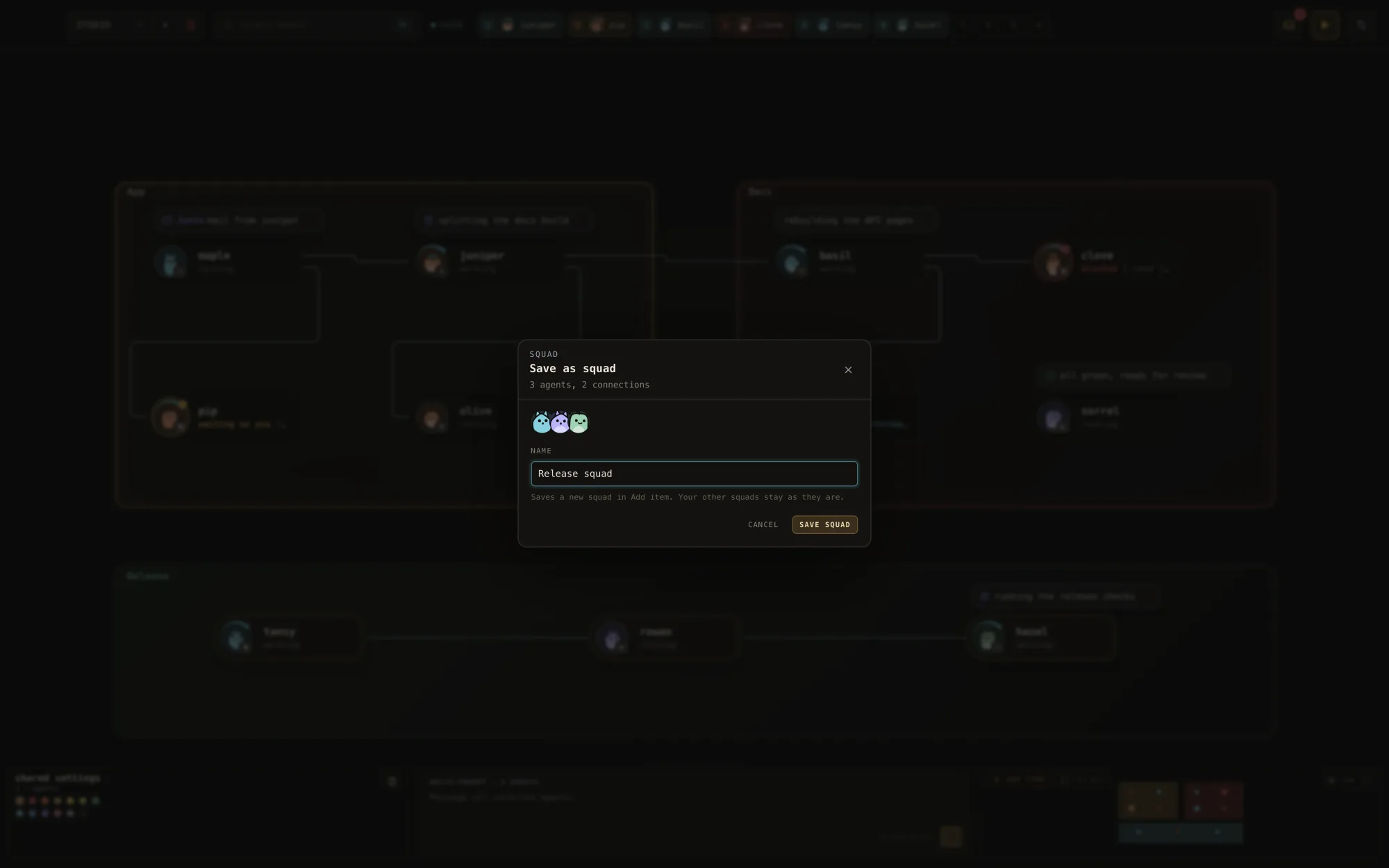
Select the seats and save them as a squad: their harnesses, their faces, the lines between them, and an opening prompt. Next time, the squad waits in the add menu, ready to place in one click.
Why Junto
One harness
at a time
is the bottleneck.
Today you run one terminal, one session, one agent. When you want two agents on the same problem, you become the relay: copy from one tab, paste into the other, remember which is which, and lose it all when the session ends.
The cost is attention. Past a handful of sessions you can no longer see what is going on: who is stuck, who is done, who is waiting on you. Neither can the agents. They cannot see each other at all.
Junto turns each agent into a seat: a named, permanent identity on a canvas, with its own harness, its own folder, and its own resumable session. Seats stay where you put them. Close the app, come back, and the same agent picks up the same session. Draw a line between two seats and they can send each other mail. You see every agent in one window, and the agents you connect can reach each other.
| One harness at a time | Junto | |
|---|---|---|
| Agents | One per terminal, blind to each other | Many, side by side, on one canvas |
| Identity | A session that ends with the tab | A permanent seat with a resumable session |
| Talking between agents | You copy and paste | Agents mail each other over the lines you draw |
| Who decides access | Whatever the prompt says | The canvas. No line, no access |
| Your config | Per harness, per project | Untouched. Junto changes nothing in it |
| Overview | Tabs | One canvas |
The insight
Structure beats
instructions.
I ran up to nine agents at a time, then went back through the sessions and asked what made the good runs good.
It was not the model, the harness, the prompts, or the number of agents. Same models, same tools, very different outcomes. Prose rules did not help either. Agents recited the rules and then broke them under task pressure, again and again.
What worked was structure. When the environment made checking a claim the easiest next step, agents checked. When a second agent had to look before “done” counted, false “done” stopped. Better work became the path of least resistance, so that is where the agents went.
That is the bet behind Junto. Do not ask agents to collaborate well. Build the room so that collaborating well is the easy thing to do. Seats, lines, and mail are that room today.
What you get
Every agent
in one window.
Junto is a desktop app for the agents you already use. You author the canvas. Agents get a seat, a mailbox, and exactly the reach you drew.
Permanent seats
A seat is one harness, one folder, one named session. Junto stores the session id and resumes that exact session after a restart, never “whatever ran last”.
Any harness you already use
Claude Code, Codex, Grok, Pi, Devin, Cursor Agent, Antigravity, fx, Prime Agent, Hermes, Kimi Code, Muse, Amp, and Oh My Pi. Each runs the same binary you run by hand, with its own account.
Agents that mail each other
A messages line between two seats gives each a mailbox to the other. Mail lands in the receiving agent's input at once: a short notice, or the full text when sent as a prompt. It stays in the mailbox until read.
Lines are the rules
Access comes from the canvas you draw, not from prompts. No line, no channel, and the CLI refuses with a scope error that says so. Delete the line and the access is gone.
Nothing in your config
Junto never writes to ~/.claude, ~/.codex, ~/.grok, ~/.hermes, or any other harness config. Everything it owns lives in ~/.junto. Delete both and it is gone.
Local and inspectable
One SQLite file on your machine holds every canvas and every message. Flip one seat into an overseer and that agent can set the canvas up for you; only you can grant or revoke it.
Install
Three steps.
No account.
- 01 Download the macOS build, open the DMG, drag Junto to Applications. Signed and notarized. macOS 13 or later, Apple silicon.
- 02 Open Junto and add a seat: pick a harness you already have installed and a folder.
- 03 Add a second seat, draw a line between the two, and press play.
Junto does not install agents for you. Install and log in to the harnesses you want the way you normally do. Junto finds them on your PATH. Their accounts and provider costs stay with them.
What changes in your setup
Nothing.
- A seat runs the same binary you run by hand. Junto passes only the settings you chose on the seat (model, effort, permission mode) plus its own instructions, through the harness's system-prompt flag or as the first typed message.
- Your own harness settings still apply.
- Inside a seat's process, and only there, Junto adds the junto CLI to PATH and sets a few JUNTO_ variables so the agent can reach the app.
- Agent providers and tools still use the network on their own terms. Official builds contact the release service for updates.
Open source
Free to use.
Yours to build.
Project-owned source is available under Apache-2.0. Read it, build it, modify it, and redistribute it under the license. Third-party components and assets retain their own notices.
Report bugs and feature requests through GitHub Issues. Unsolicited pull requests are not accepted.
Before you start
A few practical details.
Which agents work with Junto?
Claude Code, Codex, Grok, Pi, Devin, Cursor Agent, Antigravity, fx, Prime Agent, Hermes, Kimi Code, Muse, Amp, and Oh My Pi. Each has a template in the source describing how it launches, how its session is resumed, and which settings it exposes. Fidelity varies by harness and version.
Does Junto change my harness config?
No. Junto never writes to ~/.claude, ~/.codex, ~/.grok, ~/.hermes, or any other harness config. Everything it owns lives in ~/.junto. A seat runs the same binary you run by hand with the settings you picked and Junto's own instructions.
Do I need an account?
No. Junto has no purchase, key, or activation requirement. Bring your own harnesses and provider accounts; their usage charges are separate.
Which platforms?
macOS 13 or later on Apple silicon. Intel Macs and Windows are not supported.
Can I build it myself?
Yes. The source repository documents prerequisites, development, verification, and packaging. Local source builds do not require the maintainer's Apple signing credentials. Official macOS downloads are signed and notarized.
Where should I ask for help?
Use GitHub Issues for reproducible bugs and feature requests. Keep personal data and credentials out of reports. Follow the repository's security policy for private vulnerability reports.